


You have an account. This is the tour.
Portfelio is one system for the whole client journey — the page a client finds you on, the message they send, the contract they sign, the photos they choose, the invoice they pay, and the post that goes up afterwards. Most of us run that on five or six tools that don’t know about each other. Here they are one thing.
The fastest way to show you what it does is to follow a single booking the whole way through, in the order you’ll actually meet it.
1. Your page — where the work comes from
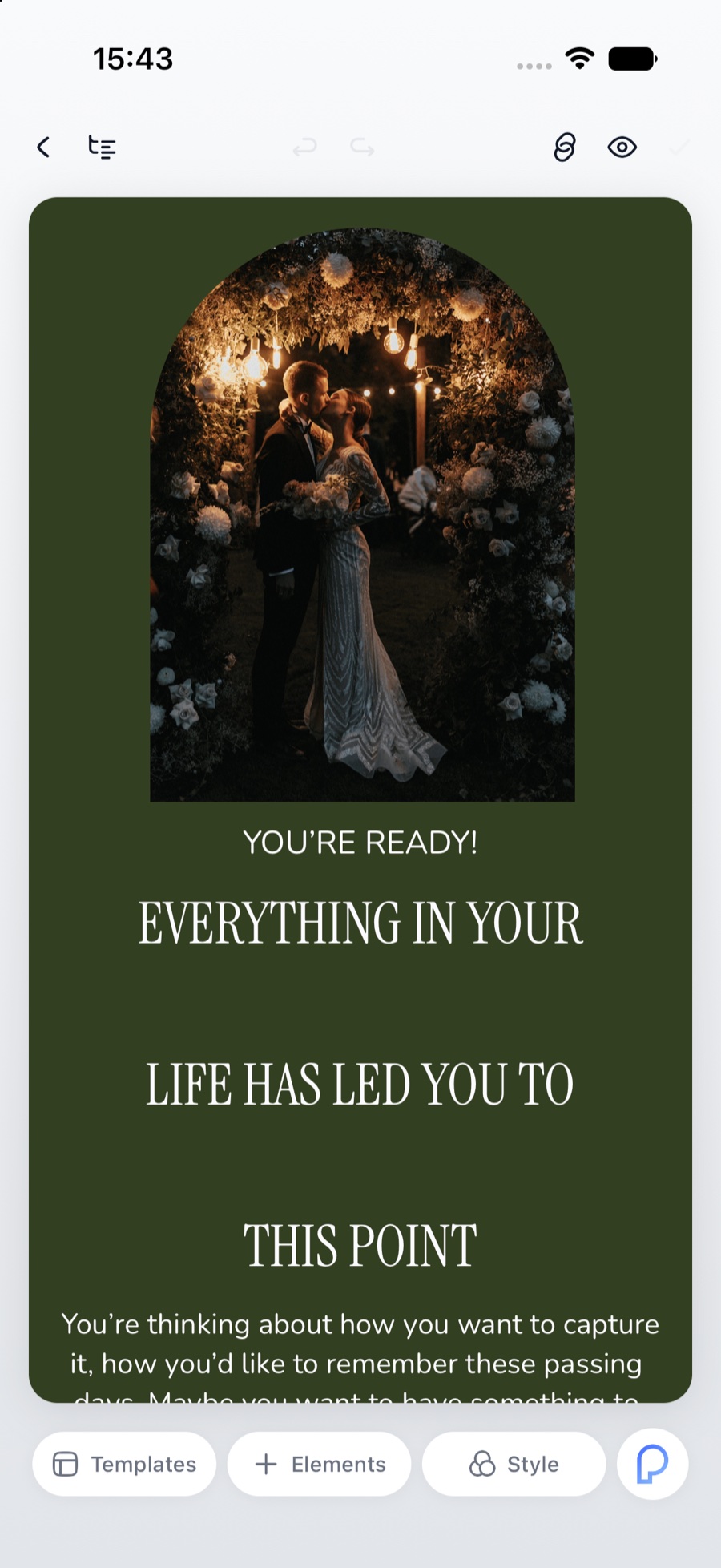
Every account starts with a page at prtf.bio/yourname. Point your own domain at it whenever you’re ready.
You build it out of blocks: text, a photograph, a gallery, buttons, a link list, an inquiry form, a booking calendar, products, events, an embed. Tap a block and you restyle it where it sits — typeface, size, alignment, padding, background, corners. There’s no separate design mode to switch into and no menu tree to get lost in.
If you’d rather start from something finished, take a template and change what you don’t like. Publish, and the page is live.
The page matters, but the part that earns its keep is the form on it.
2. The inquiry arrives as a project
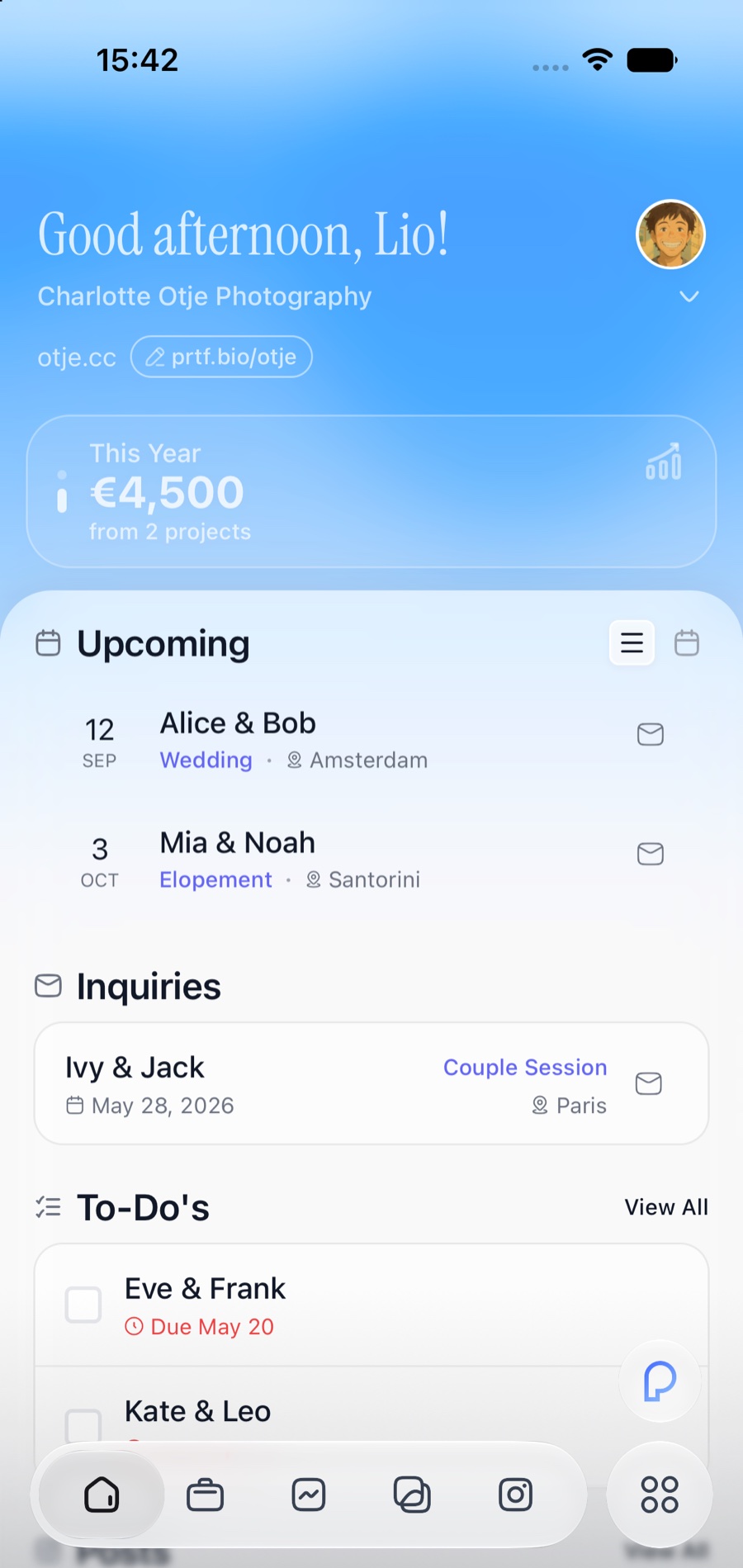
When someone sends that form, it doesn’t land in an inbox for you to copy somewhere else. It becomes a project — a card with their names, the date, the kind of session, the place and the budget — waiting on your dashboard under Inquiries.
The dashboard is the morning view: what you’ve earned this year, what’s coming up, what’s still waiting on you, and today’s list.
3. Everything about one shoot, in one place
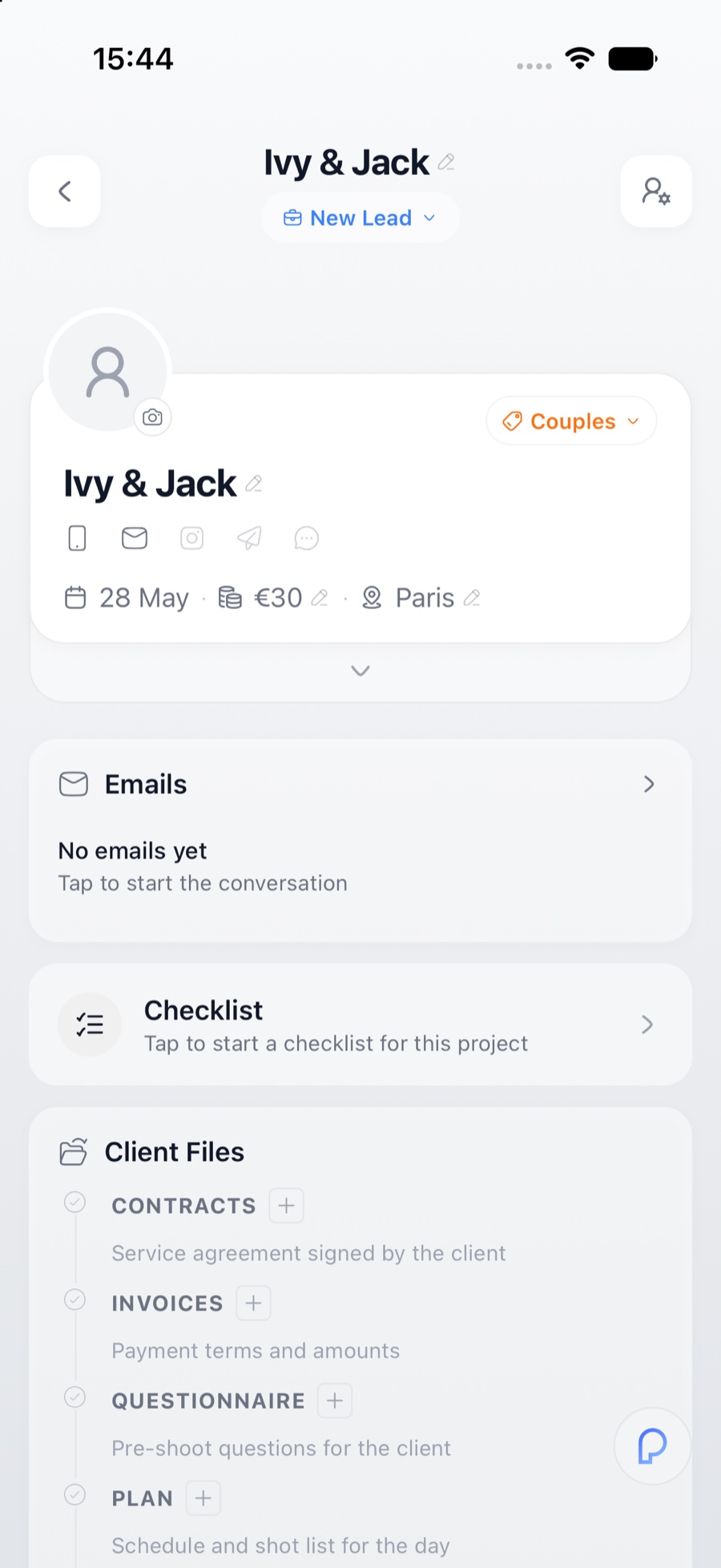
Open the project and you have the whole file:
-
Their name, the date, the price and the place — all editable where they sit
-
Emails — the entire thread with that client, in the project rather than lost in your mailbox
-
Checklist — what still has to happen
-
Client Files — contracts, invoices, the questionnaire, the plan for the day, and the galleries
That list is the spine of the whole app, which is why you never have to remember where you put something. And every shoot you’ve ever booked sits in one timeline, with its stage and its price against it.
4. Contract, invoice, questionnaire
Write a contract once and save it as a template. Variables fill in the parts that change — client name, project date, total, deposit, balance — so the next one is a few taps instead of a careful find-and-replace. Send it, and they sign with a finger on their phone. The signed copy files itself back into the project.
Invoices work the same way, and you can take the money through Stripe, PayPal or Monobank. When a payment clears it goes straight into your numbers — nothing to re-enter anywhere.
The questionnaire is the one clients actually enjoy. The questions that shape the day — the first look, the song, the person to be gentle with, the one shot they’d be heartbroken to miss — answered in their own words, weeks before you’re standing there.
5. Emails that came from you
You design an email the way you design your page — blocks, a cover photograph, your typefaces, a button. Drop in a variable and it fills itself: their name, their date, the total, the deposit. Save the good ones as templates, so “offer sent” is a two-minute job.
Two details worth knowing, because they’re the difference between a tool that helps and one that embarrasses you:
-
Anything you write by hand goes out through your own mailbox — connect Gmail or your own mail server, and the client sees your address, exactly as if you’d typed it there.
-
Anything automatic — the confirmation when a contract is signed, the receipt when an invoice is paid, a reminder — is sent by the platform but wears your business name, and replies come back to your address rather than dead-ending somewhere.
6. The day itself
The Plan holds the schedule and the shot list. The Checklist holds the kit. And the client portal is one private page where the couple can see the timeline, their documents, their questionnaire and what’s been paid — which is most of the emails you’d otherwise be answering the week before.
7. Culling — Portfelio Studio, on your Mac
This is the part that changed my own week, and it ships with the Mac app.
Point Studio at a folder of raws. Every frame is on screen in seconds — no import, no catalog to build, no waiting on previews. Then:
-
Near-identical frames stack into groups, so twelve versions of the same moment take one card instead of twelve
-
You pick, reject and rate from the keyboard — P, X, 1–5 — the way you already do
-
The loupe opens instantly, with a focus check you drag onto the eye to see whether you actually got it
-
The develop panel runs on Lightroom’s own camera profiles. Temperature reads in real Kelvin, there’s a tone curve and an eight-band colour mixer, and it imports the presets you already own
When you’re done, hand the keepers to Lightroom. They arrive as a catalog with your ratings and your develop settings already on them — 3,400 keepers in about a quarter of a second, without Studio re-reading a single original.
Two more things Studio does that are easy to miss:
-
Send a selection to the client. They tap their favourites on their phone, and those favourites come back into your cull as hearts you can filter by.
-
Sync a shoot to your phone and carry on picking on the sofa, then finish on the Mac.
8. The gallery they open
Every shoot becomes a private gallery. You set the cover, the layout, the columns, the typeface, the background — so it looks like your work and not like a file-sharing service.
Sharing is two separate links: a client link for the people who booked you, and a guest link for everyone they want to show it to. Clients mark favourites. Downloads come as a zip — the whole gallery or just one section — and the file is already built by the time they tap it, so nobody sits watching a spinner.
9. From the gallery straight to Instagram
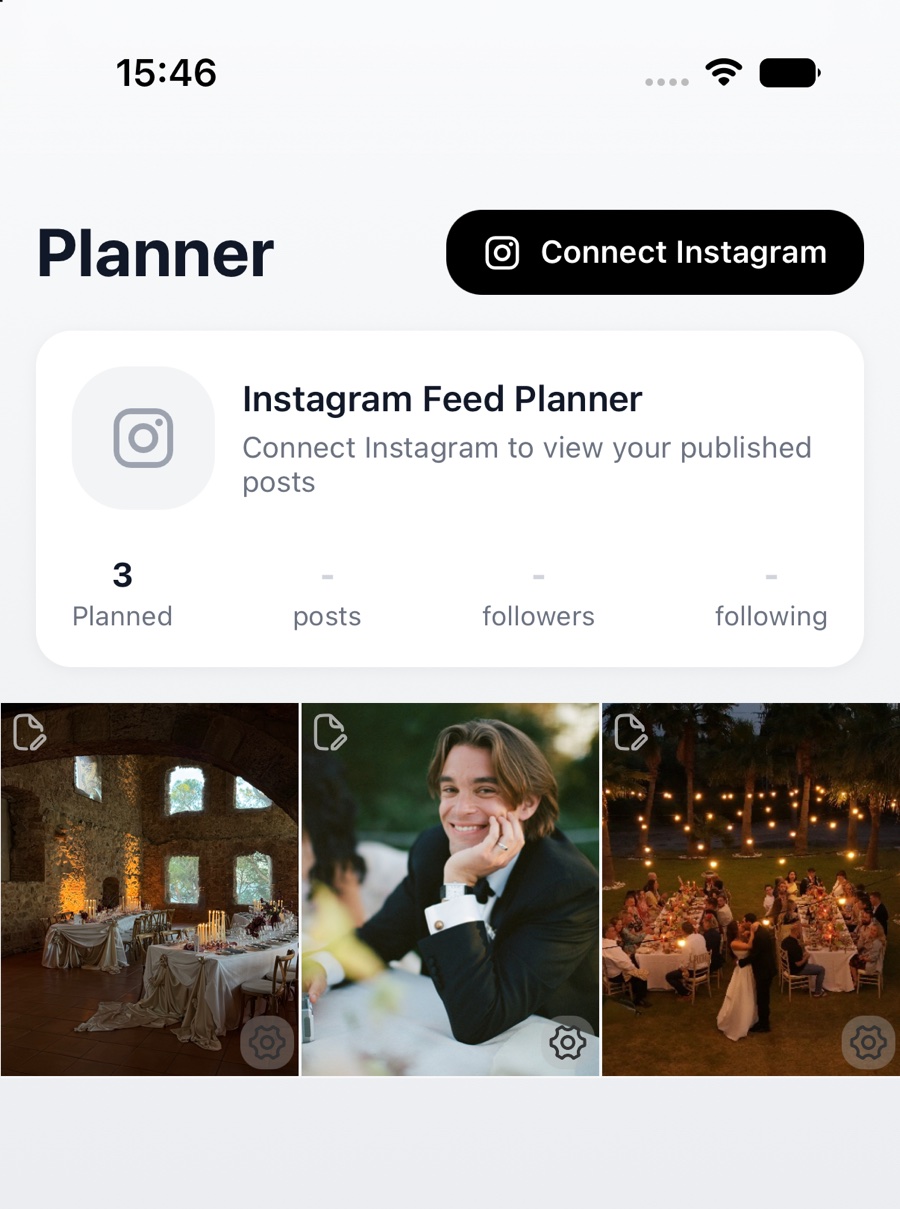
This is my favourite part, because of what it removes.
Open the Planner and you’re looking at your grid before Instagram sees it. Add a post and pick the photos from a gallery you’ve already delivered — no downloading to the laptop, no sending it to your phone, no re-uploading. Move posts around until the feed looks right, let Lio draft the caption in your voice, then schedule it or publish it.
Instagram Direct is next on this list.
10. The numbers, without a spreadsheet
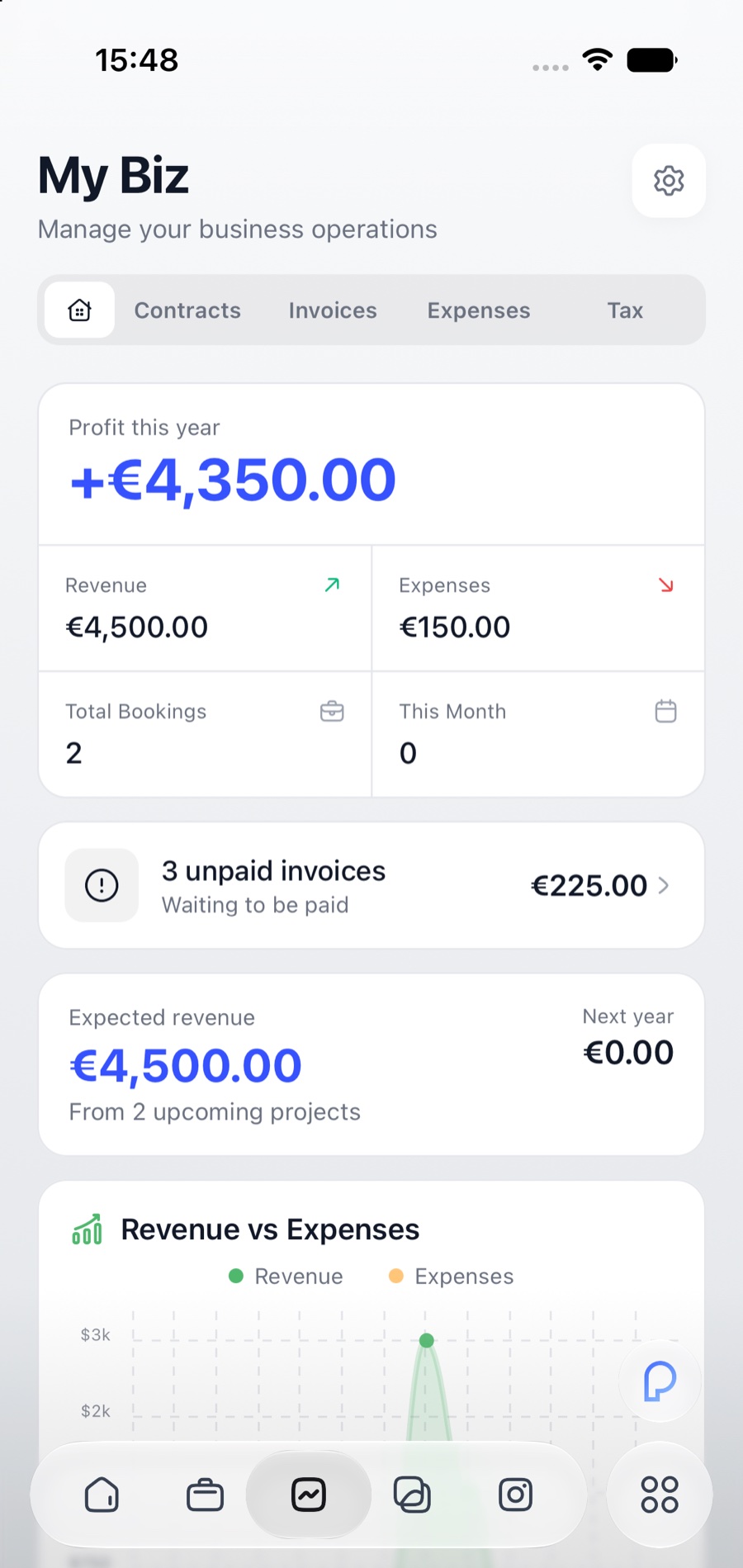
My Biz is the money view: profit for the year, revenue against expenses, what’s booked, what’s expected from projects still to come, and — the one I check most — how many invoices are unpaid and what they add up to.
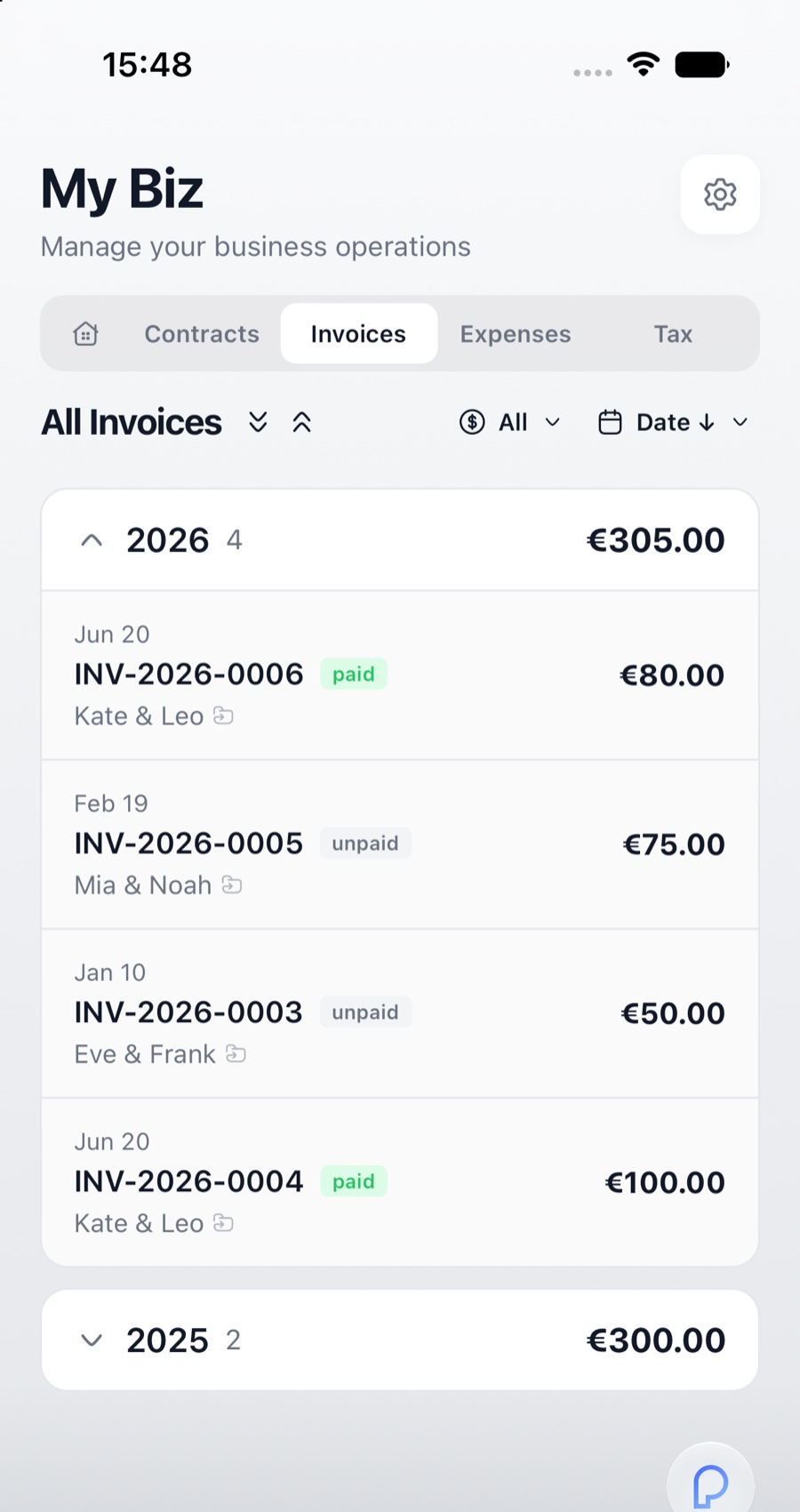
Contracts, invoices, expenses and tax each have their own tab. Every invoice you’ve ever sent sits in one list with its status against it.
11. Lio
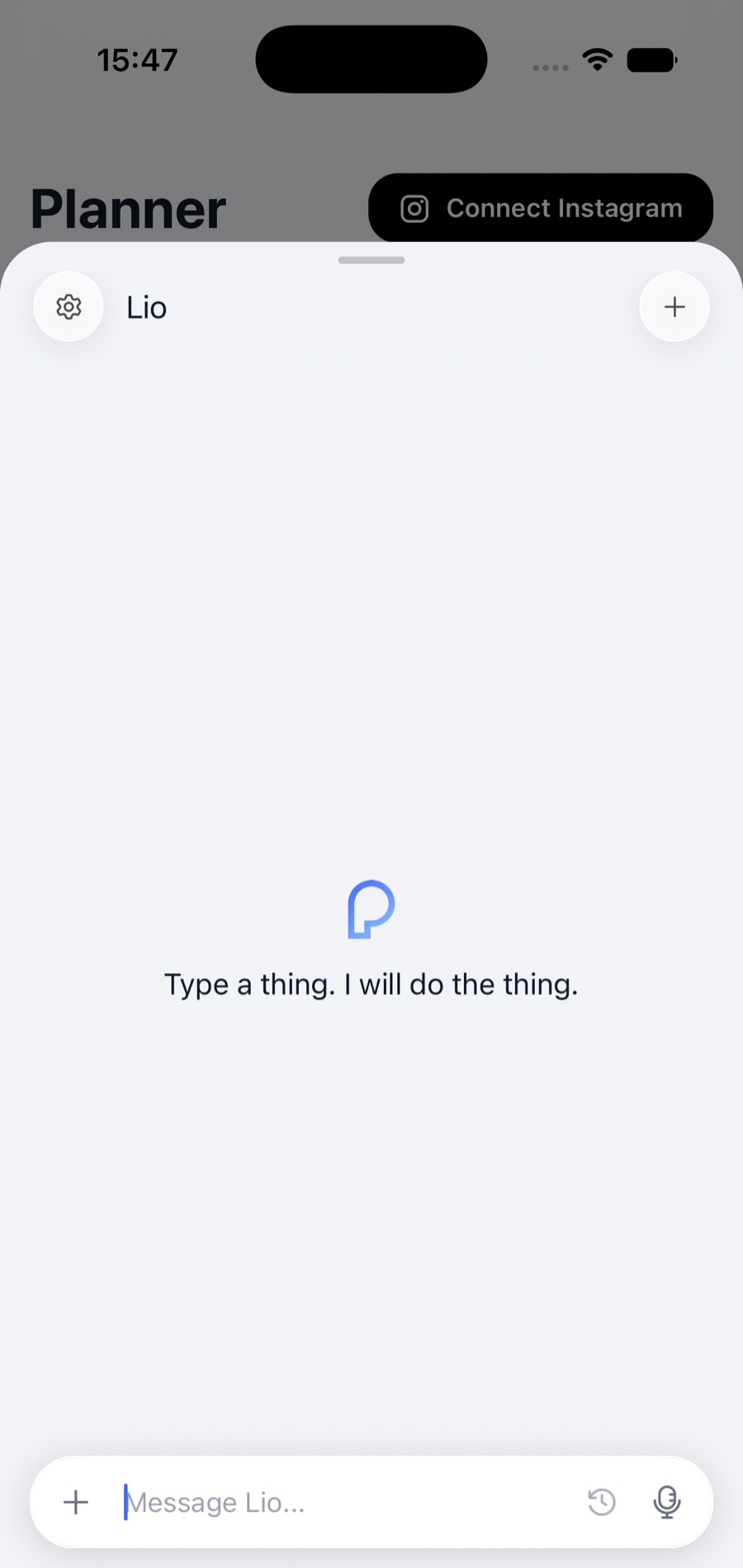
Lio is the assistant that lives inside all of this. The point isn’t that it can chat — it’s that it already knows your projects, so “this project’s contract” means something specific to it.
Things you can just ask for:
-
Create a project — names, date, place, price
-
Draft an offer, a reply, or a gentle nudge about an unpaid balance
-
Make a contract or an invoice, or change one that already exists
-
Pull up a client, a questionnaire, a gallery, or the timeline for a shoot
-
Log an expense, or answer a money question — what came in last month, what’s outstanding
-
Tell you what’s still open this week
One rule, and it doesn’t bend: Lio drafts, you approve. It never sends, signs or charges anything on its own.
It’s on your phone, on the Mac, on the web, and in Telegram — so you can answer a client from a chat window while you’re out. You can also connect Portfelio to ChatGPT or Claude and work with your own client information there.
Where it all runs
Portfelio is on iPhone, on the web at app.portfelio.me, and on macOS — and the Mac app is where Studio lives. Everything syncs, so a lead you answer on your phone at a wedding is the same lead on your desk on Monday. Windows isn’t here yet.
Your first twenty minutes
If you only do a few things today, do these, in this order:
-
Claim your handle and put a page up. Even a rough one, with a photograph and a form.
-
Add the shoot you’re working on right now as a project, with its date and its price.
-
Save one contract and one invoice as templates. You’ll never write them from scratch again.
-
Connect a payment provider, so an invoice can actually be paid.
-
Install the Mac app before your next shoot, and cull it in Studio.
Where we are
Portfelio is in beta, and I’m letting photographers in slowly and on purpose. There’s more inside it than fits in one article — booking pages, automations, an audience list, team access — and some of it is rougher than the rest.
What I want from you is honesty. If something is confusing, or slow, or missing the one thing that would make it useful for the way you actually work, tell me. Early testers get full access, and their asks are most of what shipped this month.
Write to me from inside the app, or just reply to the email that brought you here. I read all of it.