New Design settings for galleries
Gallery design now shows your real gallery as you change it. Switch between computer and phone, and pick a ready-made look.
Design now shows your gallery exactly as clients will see it, and every change appears straight away.
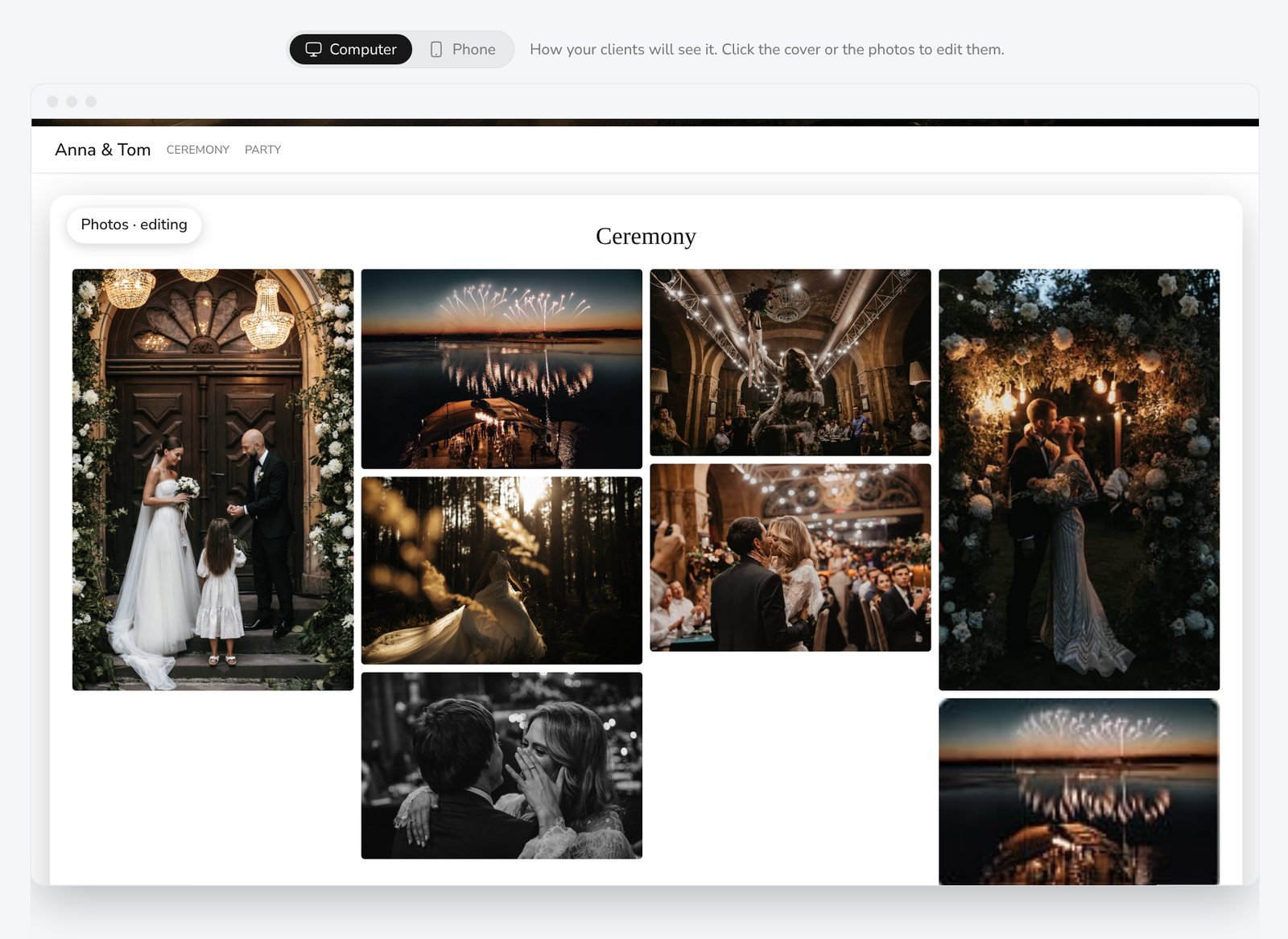
Click what you want to change
- Click the cover or the photos in the preview. Their settings open on the right.
- Switch between Computer and Phone at the top to check both.
- Animated covers play right in the preview.
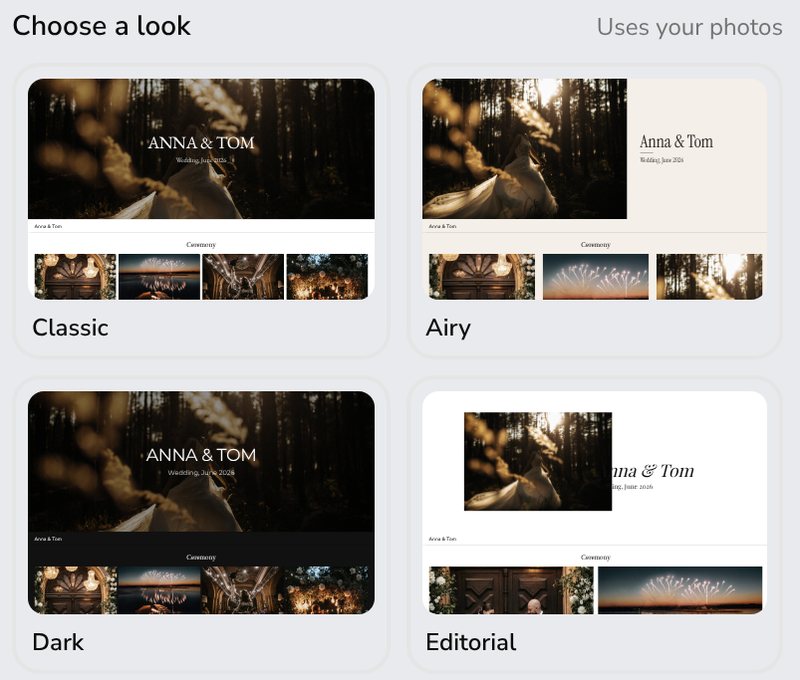
Start from a ready-made look
Pick Classic, Airy, Dark or Editorial. Each uses your own photos, and you can still change every setting after.
On iPhone
The preview in the style settings is bigger, with the title and description below it.
Try it
- Open a gallery in Galleries.
- Click Design.
- Choose a look, then click the cover or the photos to adjust them.