Make your bio page: a tour of the editor
From your link to a live page, and what each part of the editor is for.
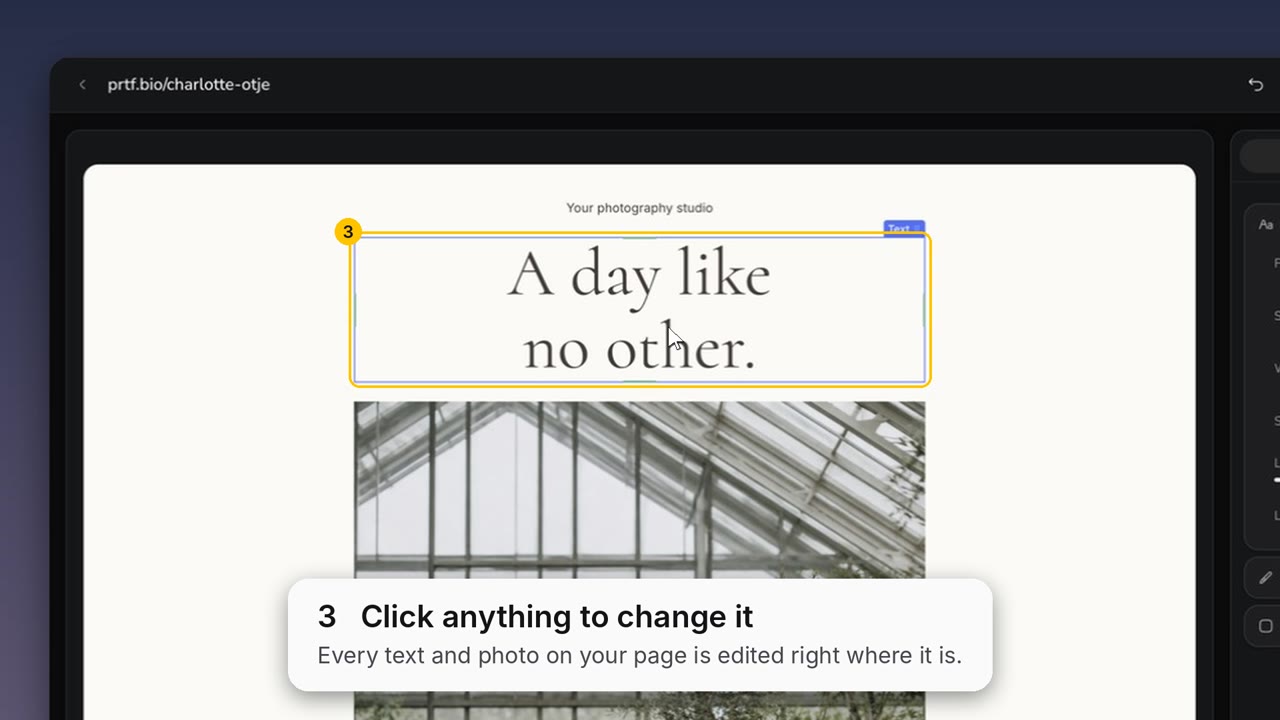
Hover over the picture to play the 35-second tour (tap on a phone). Each caption matches a step below.
Choose your link. Your page’s address, prtf.bio/your-name. Wait for “Available.”, then Next.
Pick a starting page. A finished page to start from. Click Use page, then make it yours.
Click anything to change it. Every text and photo is edited right where it is on the page.
Its options open on the right. Settings shows the font, size and spacing of what you clicked.
Nothing selected: Style. Background, text colour and font for the whole page.
Add blocks. The bar at the bottom adds text, photos, buttons, socials, a gallery or a contact form.
Structure. Every block on your page, in order. Delete one with its bin.
Templates. Swap to another page, or add one section: About, Selected work, Inquiry form.
Page settings. The gear holds your link and the Your page is live switch. Changing the address breaks links you already shared.
Publish. Your page shows nothing until you press it. After that, the button reads Save bio page.
Tip: a contact form on your page sends what visitors fill in to your Inbox as a new inquiry.